
S3Suite
Warranty Management
See every warranty status across your fleet at a glance. Active, expiring, expired, not activated, void. Activate, extend, alert, and feed root cause data back to engineering.
Warranty status review
See warranty state from the device record.
The clip shows the warranty workspace where teams review coverage status, device warranty fields, actions, and claim context.
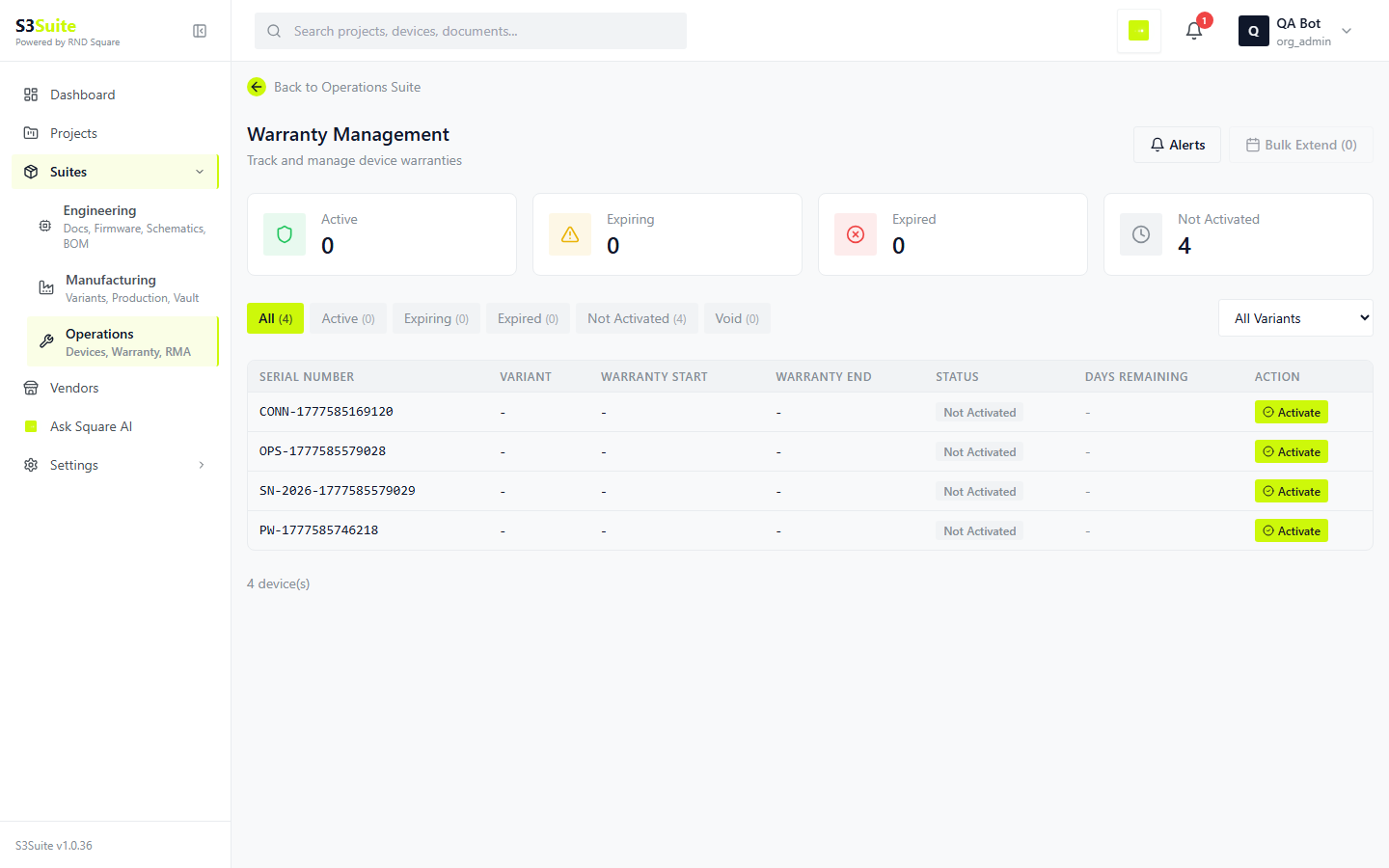
The clip shows the warranty workspace where teams review coverage status, device warranty fields, actions, and claim context.
The Problem
"Is this device still under warranty?"
Nobody knows for sure.
Warranty data lives in a spreadsheet. Activation dates are inconsistent. Expiry alerts do not exist. When a customer calls with a failed device, support has to dig through records to figure out coverage. S3Suite puts every warranty status in one view so the answer is immediate.
Status Overview
Five statuses.
Full fleet visibility.
Every device in your fleet falls into one of five warranty statuses. S3Suite shows you the count for each, so you know exactly how many devices are covered, how many are expiring soon, and how many need attention.
Active
Device is currently covered under warranty. All claims during this period are eligible for repair or replacement at no cost.
Expiring
Warranty is approaching its end date. Flagged based on your configured threshold so you can plan renewals or customer communication.
Expired
Warranty period has ended. The device moves to post-warranty support. Historical warranty data is preserved for reference.
Not Activated
Device has shipped but the warranty has not been activated. Common for devices sitting in distributor inventory or awaiting installation.
Void
Warranty has been invalidated. Reasons include unauthorized repair, tampering, or policy violation. The void reason is recorded and linked to the device.
Device Warranty
Every device. Every detail.
Drill into any device to see its full warranty record. Start date, end date, warranty type, and every claim ever filed against it.
Warranty Start Date
When the warranty period begins. Can be set to ship date, activation date, or installation date depending on your policy.
Warranty End Date
Calculated from start date plus warranty duration. Automatically determines the current warranty status.
Warranty Type
Standard, extended, or custom warranty tier. Different products and customers can have different warranty durations.
Claim History
Every warranty claim linked to this device. Shows what was claimed, when, and how it was resolved.
Warranty Actions
Activate. Extend. Alert.
In bulk or one at a time.
Activate warranties when devices are installed. Extend them in bulk when you negotiate new terms. Set alerts so you know which warranties are expiring before your customers do.
Activate warranties individually or in bulk
Bulk extend warranties by variant, lot, or serial range
Configure expiry alert thresholds (30, 60, 90 days)
Automatic status transitions as dates pass
Void warranties with documented reason
Export warranty reports for compliance audits
Feedback Loops
Warranty claims drive
design improvements.
Every warranty claim carries root cause data. Aggregate it across your fleet and patterns emerge. Engineering sees which failure modes cost the most, which revisions reduced claims, and where to focus the next design improvement.
Warranty claim root causes aggregated by failure mode
Failure rates compared across product revisions
Cost of warranty claims per variant
Design change impact on warranty claim reduction
Repeat failure detection per device and per variant
Monthly warranty health reports
Add-on Service
Managed Warranty Services
by RnD Square
Let our team manage your warranty operations on a monthly recurring basis. We handle claim processing, root cause feedback to engineering, policy optimization, and customer communication so your team can focus on building the next product.
Talk to Our Team →Monthly recurring warranty management
Claim processing and resolution
Root cause analysis and engineering feedback
Warranty policy optimization
Expiry notification and renewal management
Monthly warranty health reports
FAQ
Frequently Asked Questions
Ready to take control of
your warranty operations?
Download S3Suite and see your fleet warranty status in one view. Activate, extend, alert, and track claims from day one.