
S3Suite
Station Kiosk
A focused production-line UI for scan, test, and submit workflows. Operators use the station screen at the bench while S3Suite keeps results connected to the device and lot context behind it.
On the station floor
Scan a device and record station work.
The station interface handles IMEI entry, scan-style station work, and focused production-line submission without the full admin workspace.
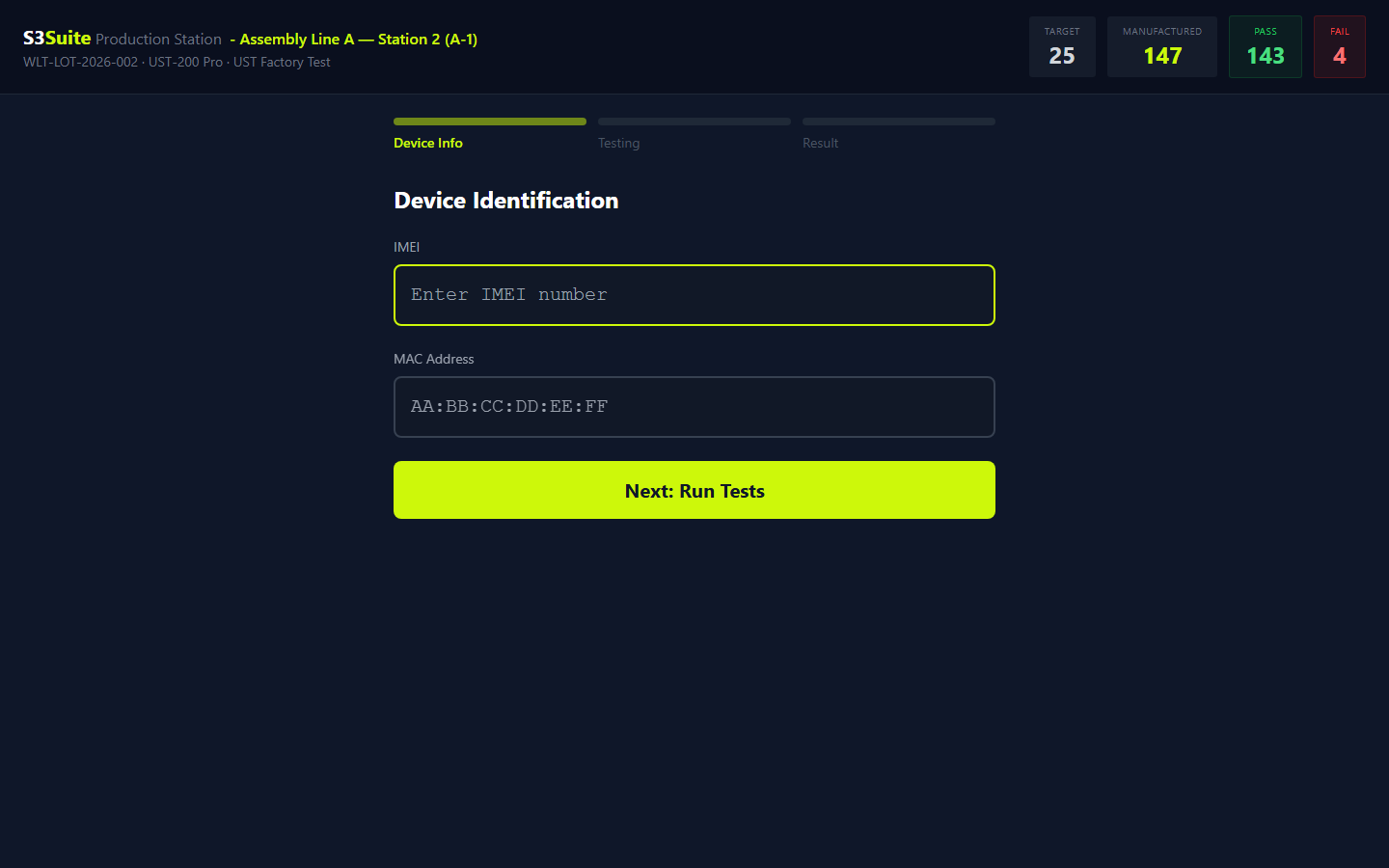
The station interface handles IMEI entry, scan-style station work, and focused production-line submission without the full admin workspace.
Production Station UI
A line screen
for one station task.
Workflow
A focused line-operator screen
How S3Suite helps
Station Kiosk gives production teams a station-specific browser UI for scan, test, and submit workflows.
Workflow
Less access than the full admin workspace
How S3Suite helps
The kiosk experience is intentionally narrow, so operators stay inside the station task instead of browsing the full S3Suite app.
Workflow
Test results tied to the device record
How S3Suite helps
Station submissions can update the device record with station context, result values, and notes from the line.
Workflow
A software layer beside the test jig
How S3Suite helps
Use Station Kiosk as the operator-facing UI near a physical test fixture or provisioning bench.
Workflow
A setup path manufacturing teams can repeat
How S3Suite helps
Stations can be configured around a lot, template, and station URL so each bench follows the intended process.
Operator Flow
Operator flow
from scan to next device.
Open station
The operator opens the station-specific kiosk screen on the line tablet or bench computer.
Scan device
The operator enters or scans the device identifier so the result can attach to the right unit.
Run test steps
The station presents the test or provisioning steps defined for that workflow.
Add notes, submit
The operator records the result and any notes that matter for review.
Move to next device
The station returns to the next unit in the same focused flow.
Security Model
A narrower UI
for production work.
Station Kiosk is useful because it is focused. Operators get the station task, while the broader S3Suite workspace stays out of the line workflow.
Station-specific access
The kiosk URL is meant for a specific station workflow, not general administration.
Scoped line workflow
Operators stay inside the task they need for the current production step.
Action-restricted UI
The kiosk focuses on test or provisioning submission instead of exposing broad app navigation.
Treat URL as a credential
The station URL should be handled like an access credential for that production bench.
Traceable submissions
Station results stay connected to the device record for production review.
Related Pages
Go deeper.
FAQ
Frequently Asked Questions
Scan, test, submit.
Results stay with the device.
Use Station Kiosk when the production line needs a simple operator screen connected to S3Suite manufacturing records.