
S3Suite
Firmware Updates and OTA
Push firmware to one device, one variant, or your entire fleet. Track every deployment. Roll back when needed. No technician on site required.
Firmware update control
Review firmware updates before rollout.
The clip shows the firmware update workspace where teams review update records, deployment context, and release movement.
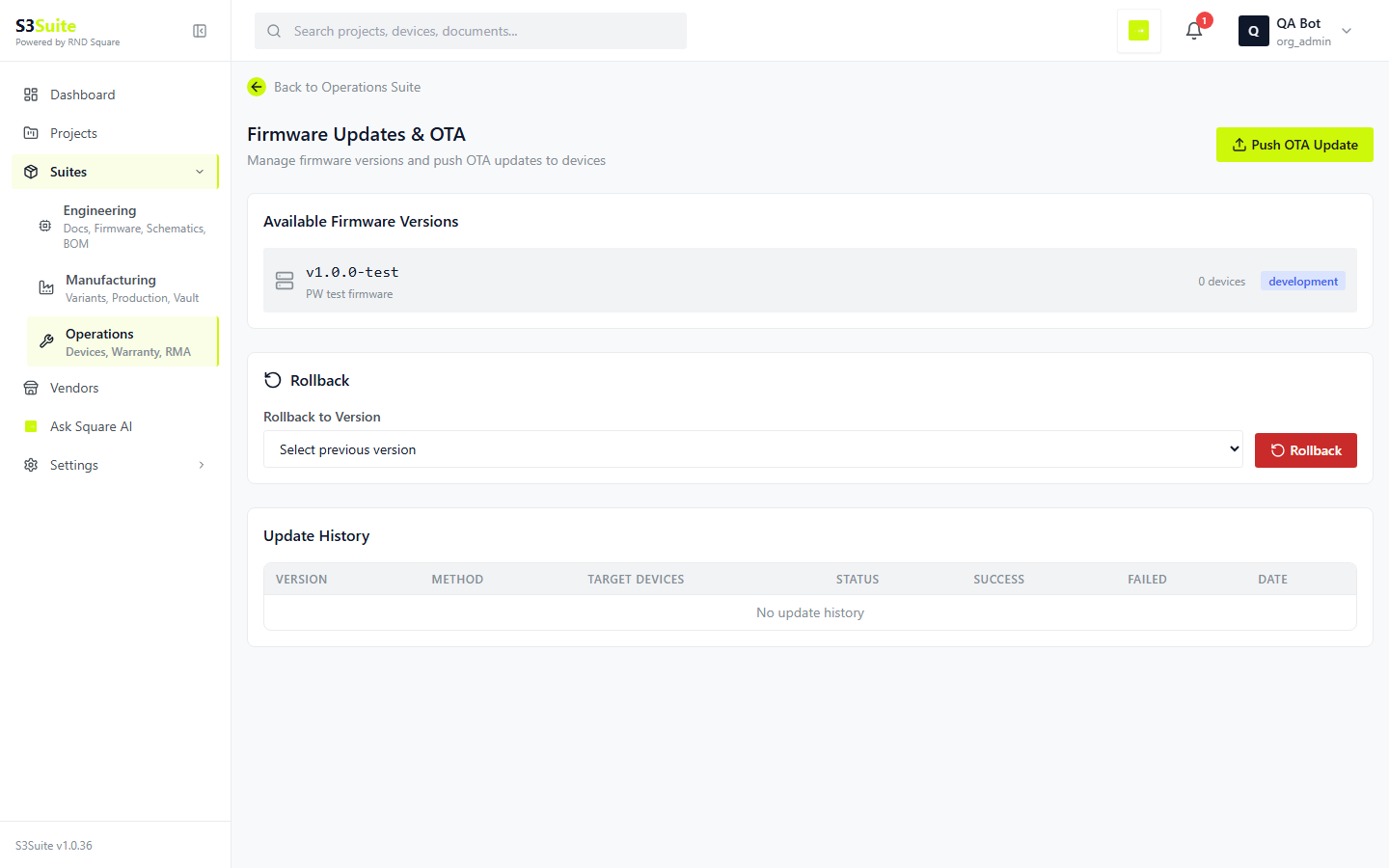
The clip shows the firmware update workspace where teams review update records, deployment context, and release movement.
The Problem
A bug in production firmware.
500 devices in the field.
Without OTA, fixing a firmware bug in deployed devices means sending a technician to each one. Or asking customers to connect via USB and flash manually. Or shipping replacement boards. S3Suite gives you remote firmware updates through the S3 Protocol, so fixes move in hours instead of weeks.
Deployment Targets
One device. One variant.
Or the entire fleet.
You choose the scope. Push a beta build to a single test device. Roll out a patch to all units of a specific variant. Or deploy a major update fleet-wide. S3Suite tracks progress across all of them.
Push to Device
Target a single device by serial number. Useful for testing a new firmware build on one unit before rolling out to the fleet.
Push to Variant
Update all devices of a specific product variant at once. Run staged rollouts by updating one variant first, then expanding.
Push to All
Deploy firmware to your entire fleet in one action. S3Suite handles the distribution, tracks progress, and reports back per device.
Update Management
Version history. Rollback. Audit trail.
Every firmware update is fully tracked. You know which version runs on which device, who pushed the update, and whether it succeeded. If it did not, roll back in one click.
Available Versions
See every firmware build available for deployment. Each version shows its build metadata, commit hash, build date, and which devices are currently running it.
Rollback Capability
If an update causes issues, roll back to any previous version. Select the target, pick the version, and deploy. The rollback is tracked like any other deployment.
Update History
Every deployment creates an immutable audit trail. Who pushed it, when, which devices received it, and whether each device succeeded or failed.
Deployment Progress
Track the status of an active deployment in real time. See how many devices have downloaded, installed, and confirmed the update.
S3 Protocol
Built on S3 Protocol.
Lightweight. Reliable.
OTA in S3Suite runs on the S3 Protocol. Devices are provisioned at the factory with a unique token. Updates flow through HTTP, MQTT, or TCP. Your firmware engineer can integrate it in a day using our ESP32, STM32, Zephyr, Linux, or Android SDKs.
Supports HTTP, MQTT, and TCP protocols
Secure per-device authentication via signed tokens
Devices provisioned at factory with S3 Protocol
Automatic check-in and update download
Success/failure reporting per device
Works behind firewalls and NAT
Add-on Service
Managed OTA Deployment Service
by RnD Square
Let our team handle your firmware deployments. We manage the rollout strategy, monitor deployment progress, handle failures, and ensure every device in your fleet gets updated successfully.
Talk to Our Team →Staged rollout planning and execution
Deployment monitoring and failure handling
Rollback management when issues arise
S3 Protocol integration support
SDK integration for your hardware platform
Post-deployment validation and reporting
FAQ
Frequently Asked Questions
Ready to update your fleet
without sending a technician?
Download S3Suite and push your first firmware update remotely. Integrate the S3 Protocol in a day with our platform SDKs.