
S3Suite operations
Devices
Devices gives operations teams a fleet view that stays connected to manufacturing, firmware, warranty, support, and RMA context.
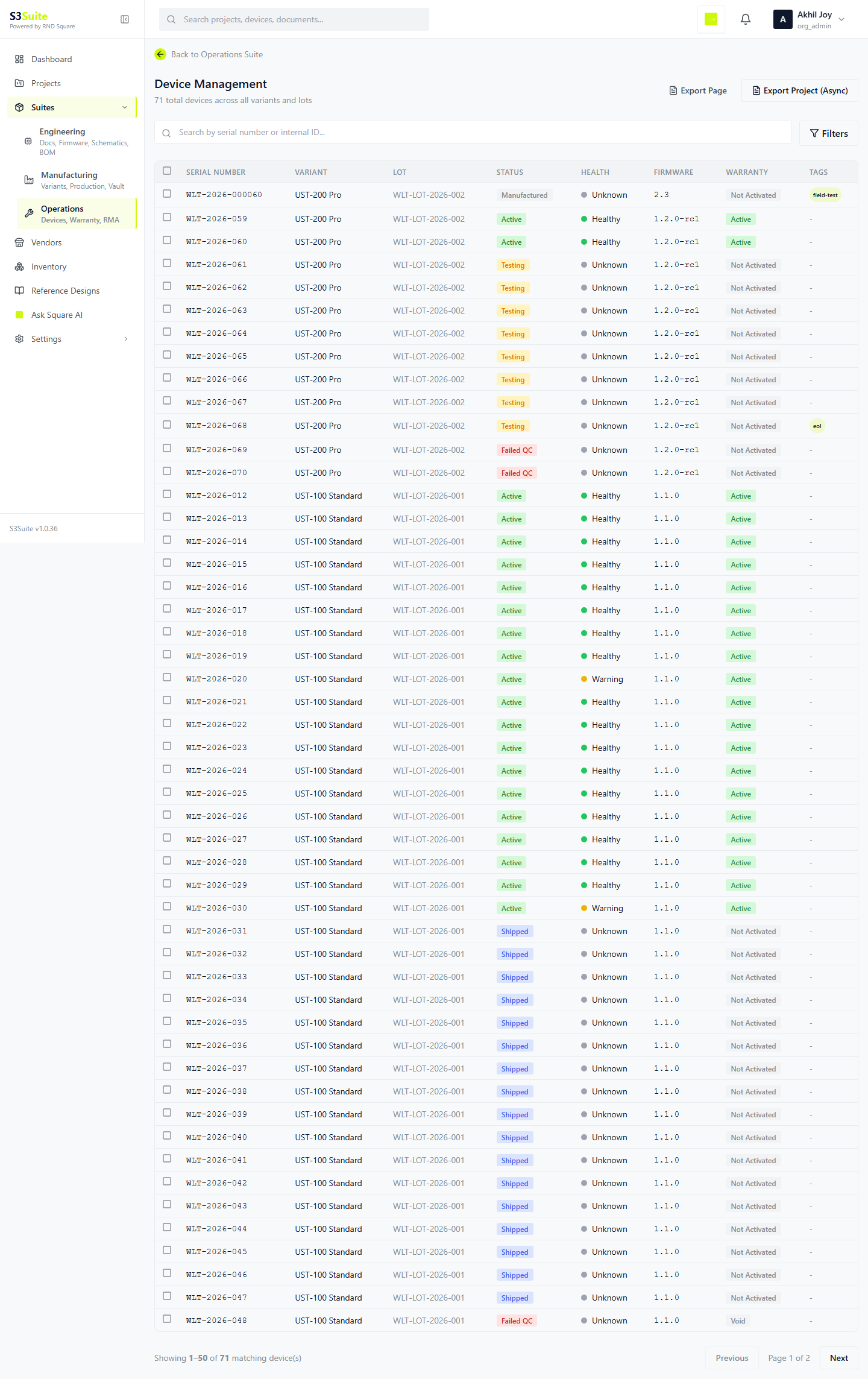
Devices: Devices gives operations teams a fleet view that stays connected to manufacturing, firmware, warranty, support, and RMA context.
Problem
After shipment, device records often drift away from production history.
When a customer reports a field issue, teams need serial, lot, firmware, warranty, and support context without rebuilding the chain manually.
S3Suite workflow
S3Suite keeps deployed units inside the lifecycle.
The device table gives teams one place to inspect field units and move from a serial number into support, warranty, RMA, or the product record.
What teams need
Field records that still point back to the build.
Need
Find a device by serial or status
S3Suite has
The device table gives operations a scannable view of deployed units.
Need
Understand where a device came from
S3Suite has
Device records stay connected to manufacturing and the product record.
Need
Support field investigation
S3Suite has
Teams move from a device into related support and RMA workflows.
Need
Keep the fleet visible
S3Suite has
A shared device view helps teams discuss field state without separate trackers.
Workflow
How device context moves into support and RMA.
Register devices
Create or import device records from manufacturing context.
Review fleet
Use the operations table to inspect deployed units.
Inspect serial
Open the device record from a serial number, status, or row selection.
Share field evidence
Use device history during engineering, manufacturing, support, or RMA review.
Capabilities
The device views operations teams need.
Fleet columns
Serial, status, and field context stay visible in the operations table.
Serial lookup
A device identity points back to product and production records.
Support links
Warranty, RMA, and ticket workflows start from the same device record.
FAQ
Get Started
Get the
S3Suite download link
- Engineering, Manufacturing, and Operations suites
- Risk Management and Project Map built in
- BOM analysis with health scoring
- Ticket support system with customer portal
- S3 Protocol for device connectivity
- Desktop app support for revision control workflows
- AI Assistant grounded in project data
Share a work email and we will send the download link and setup instructions.