

How Do The Team Know Which Devices Are Affected by a Hardware Change
A hardware change doesn’t end when the BOM is updated. Learn how hardware and telematics teams can trace a component change across BOM revisions, production batches, device serial numbers, firmware, testing, vehicle deployments, and field support to quickly understand which devices may be affected.
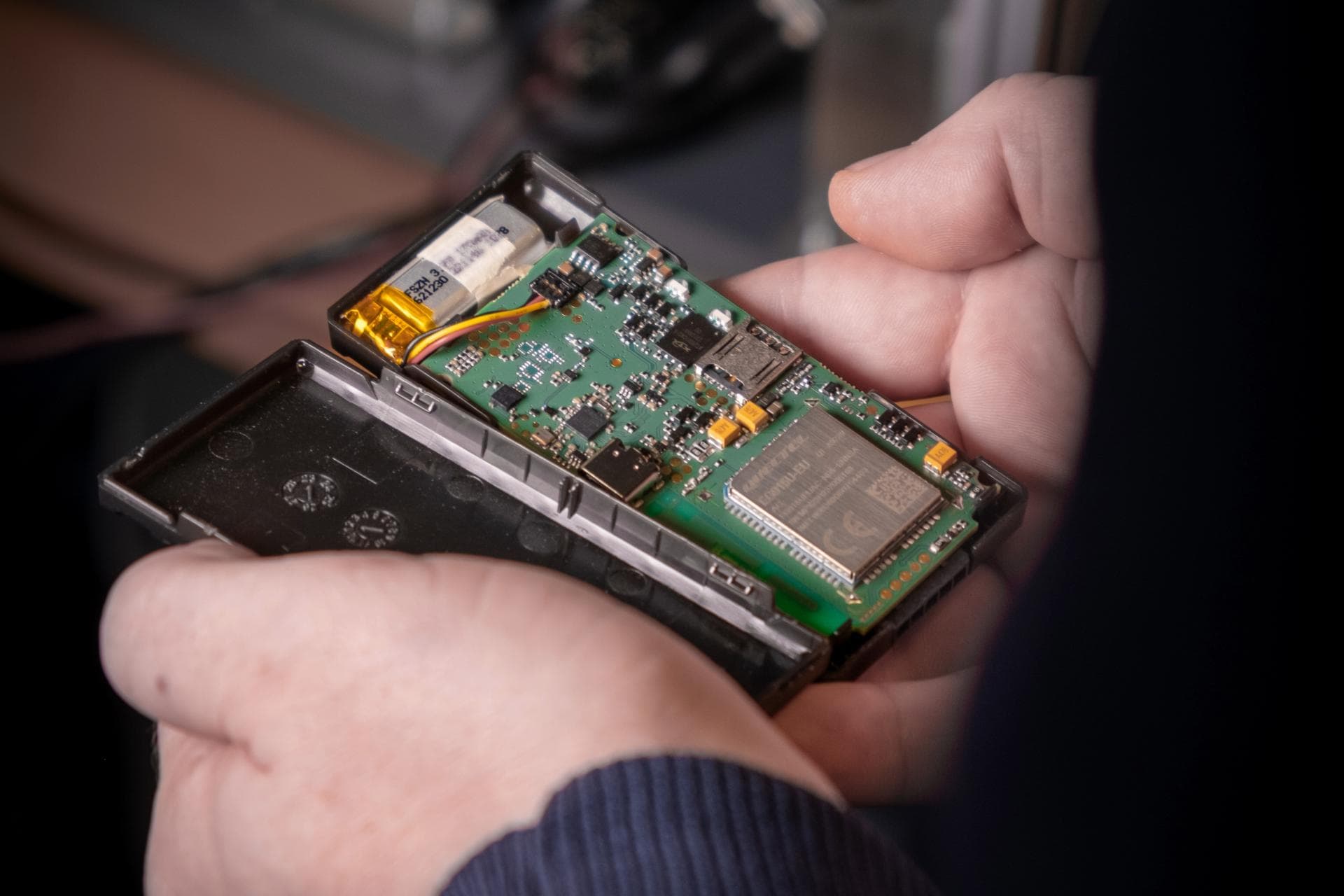
How Do I Know Which Devices Are Affected by a Hardware Change?
A hardware change rarely stays limited to the engineering team.
A component is replaced.
A PCB revision changes.
A BOM gets updated.
The engineering team knows what changed.
But then comes the harder question:
Which devices are actually affected by that change?
For a product that has already gone through multiple production batches and field deployments, finding that answer can take much more effort than expected.
A simple component change can create a complex traceability problem
Imagine a telematics company discovers that a component used in its GPS tracker is becoming obsolete.
Engineering selects an alternative component and creates a new BOM revision. From an engineering perspective, the change may seem complete once the new component is approved and the BOM is updated.
But that's only the beginning.
The team still needs to understand where the old component was used, which product variants and BOM revisions are affected, which production batches were built with it, and which serialised devices are already in the field. They may also need to determine whether the change affects firmware, testing, vehicle deployments, or existing field issues.
The real challenge isn't making the change.
It's knowing exactly where that change has an impact.
Why finding affected devices becomes difficult
In many hardware organizations, product information is distributed across different places.
Engineering may maintain BOMs and revision history.
Manufacturing may maintain production and batch records.
Firmware teams may maintain release information separately.
Operations may have deployment data.
Support teams may have RMA and field issue records.
Each team may have the information they need.
But when someone asks:
“Show me every device affected by this hardware change.”
The answer may require manually connecting information from several sources.
This becomes even more difficult when the company has:
- Multiple product variants
- Frequent BOM revisions
- Several manufacturing batches
- Devices already deployed in the field
- Different hardware and firmware combinations
- Contract manufacturers or multiple production locations
The serial number is where the story comes together
For a manufactured hardware product, the device serial number can become the connection point between engineering and the field.
Consider a telematics device with the serial number TG-102458. Its history can include Hardware Revision V3, BOM Revision BOM-3.2, the use of Regulator X, production Batch B2407, Firmware v4.8.2, a passed factory test, and deployment in vehicle KA01AB1234 in July 2026. When these records are connected to the same device, the engineering team can see the complete history of that particular unit instead of searching for each record separately.
Now, if Regulator X is replaced in BOM-3.3, the team can use this connected history to identify which products, production batches, and individual devices were built using the earlier component. This makes it easier to understand the potential impact of the change and investigate affected devices in the field.
The value isn't just knowing what changed. It's knowing where that change exists.
What happens without this connection?
The team may need to pull information from several places to understand the full impact of a hardware change. They might start with the BOM files, then check spreadsheets and production records, match those records with device serial numbers, verify the firmware version, look at deployment information, and finally review any related RMA or field-service records.
When these records are maintained separately, even a simple impact analysis can become a time-consuming manual exercise. Engineers have to piece together the product history themselves, and there is always a possibility that an affected device or production batch gets overlooked.
When the issue is already occurring in the field, this becomes even more critical. The longer it takes to identify the affected devices, the longer it takes to investigate and resolve the issue.
Hardware changes can also affect firmware
A component change isn't always isolated to the hardware.
Depending on the component, the change may affect:
- Firmware configuration
- Driver compatibility
- Power management
- Communication behavior
- Calibration
- Factory testing
- Performance validation
So the engineering team needs to understand not only:
“Where was this component used?”
but also:
“What else needs to be validated because this component changed?”
This is why engineering change impact should extend beyond the BOM.
A better way to look at engineering changes
Instead of treating an engineering change as just a document that gets approved and released, it should be viewed in the context of the complete product lifecycle.
When a change is made to a component, the team should be able to see which BOM revision and product variants are affected, where those revisions were used in production, and which device serial numbers were built from them. That information can then be connected with the relevant firmware versions, test records, vehicle or customer deployments, and any field support history.
This gives engineering teams a much clearer understanding of where a change was introduced, which products it affected, and whether those products have already reached the field.
Ultimately, the goal is not just to document an engineering change.
It is to understand its impact across the entire product lifecycle.
Where S3Suite fits
S3Suite connects product information across Engineering, Manufacturing, and Operations.
It helps teams connect:
- Components and BOMs
- BOM revisions
- Engineering changes
- Product variants
- Firmware releases
- Manufacturing batches
- Test records
- Device serial numbers
- Deployment information
- Field issues and RMA history
So when an engineering change happens, the team has a connected product history to work from rather than manually searching across disconnected records.
The goal isn't simply to know what changed.
It's to understand:
What changed, Where was it used, Which devices were affected, What happened to those devices