

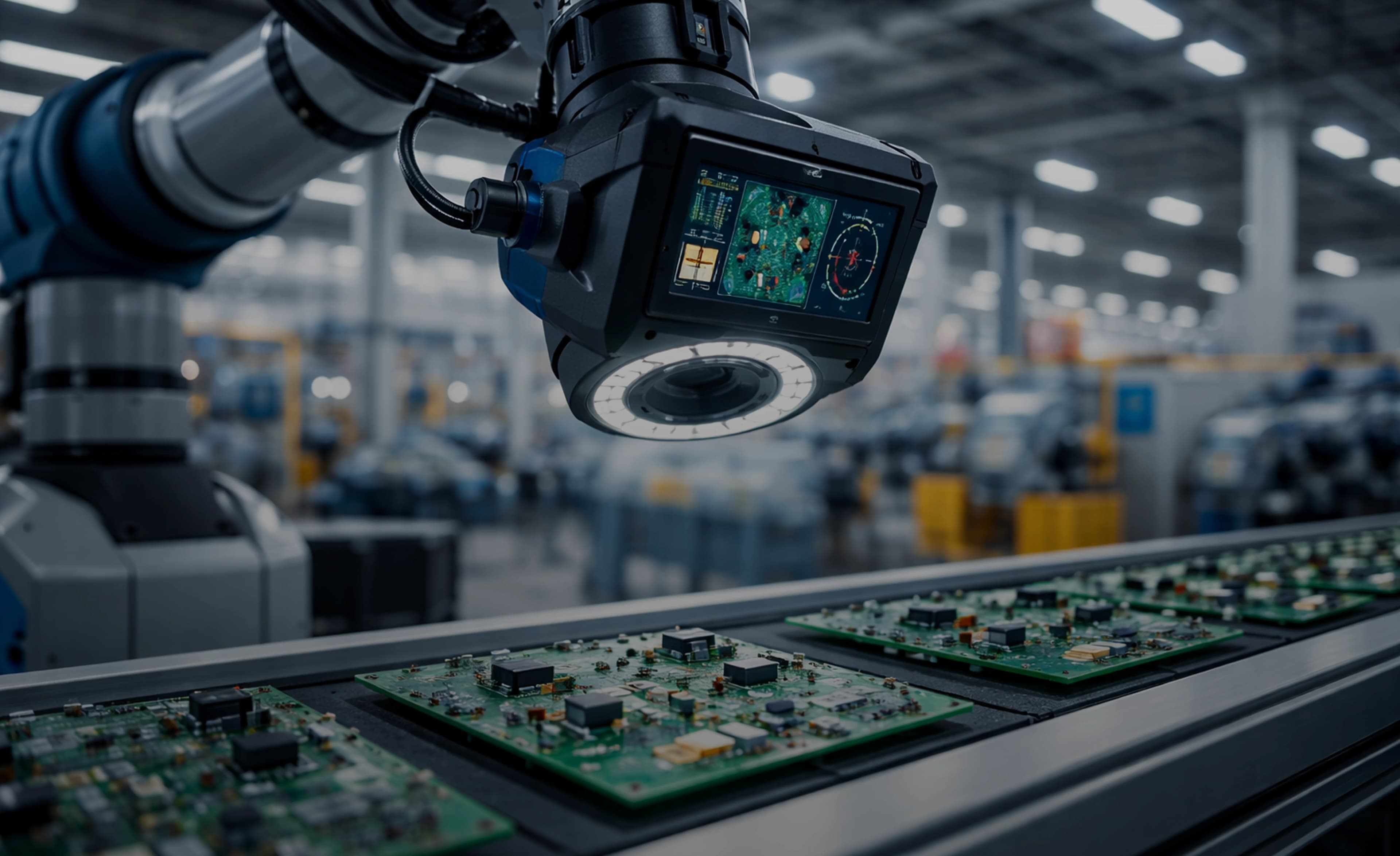
Vision AI Manufacturing
Deployment Guide
Everything we have learned about deploying computer vision and AI inspection systems in real factory environments. From camera selection and lighting design to model optimization and production integration, this guide covers the full journey from proof of concept to production-grade system.

INTRODUCTION
Why Vision AI Is Becoming Essential in Manufacturing
Manufacturing quality inspection has relied on human eyes for decades. Trained operators stand at the end of production lines, scanning parts for scratches, dents, misalignments, and color deviations. This approach worked when production volumes were lower and defect tolerances were wider. Today, with production speeds exceeding hundreds of units per minute and quality standards tightening across every industry, manual inspection simply cannot keep up.
Human inspectors fatigue after 20 to 30 minutes of continuous visual inspection. Studies consistently show that manual inspection catches only 60% to 80% of defects, and that number drops further on night shifts and during overtime periods. The subjectivity problem is equally significant. Two inspectors looking at the same part will often disagree on whether it passes or fails, especially for cosmetic defects near the borderline.
Vision AI systems address these limitations directly. A well-deployed computer vision inspection system can evaluate every single unit at full production speed, 24 hours a day, with consistent accuracy. We have seen systems running at 99.5%+ detection rates while maintaining false positive rates below 1%, performance levels that are simply unreachable through manual inspection alone.
However, there is a massive gap between getting a model to work in a lab and running a reliable inspection system in a production environment. The controlled lighting, clean samples, and unlimited inference time available during development look nothing like a real factory floor with ambient light changes, dust accumulation on lenses, vibration from nearby machinery, and parts arriving at unpredictable orientations.
This guide is the result of our experience deploying vision AI systems across automotive, electronics, food packaging, and pharmaceutical manufacturing environments. We cover every stage of the deployment process, from building the initial business case through camera selection, model development, edge hardware choices, production integration, and long-term operations. If you are evaluating vision AI for the first time or troubleshooting a deployment that fell short of its promise, this guide will give you the engineering-level detail you need.
THE BUSINESS CASE
Building the ROI Case for Vision AI
Before selecting cameras or training models, you need a clear understanding of the financial impact of quality defects in your operation. The cost of a defect multiplies at every stage it goes undetected. A defect caught on the production line might cost $0.50 to reject and scrap. The same defect caught at final assembly costs $5 to $50 in rework labor. If it reaches the customer, the cost balloons to $500 or more when you factor in warranty claims, returns processing, field service, and brand damage.
The ROI framework for vision AI centers on three primary metrics. First, defect escape rate reduction. If your current manual inspection catches 70% of defects and a vision AI system catches 95%, every additional percentage point of defects caught before shipping translates directly to reduced warranty costs and preserved customer trust. Second, inspection speed increase. Vision AI systems typically inspect at 10x to 100x the speed of manual inspection, meaning you can run faster lines or eliminate inspection bottlenecks. Third, labor reallocation. This is about moving skilled operators from repetitive inspection tasks to higher-value quality engineering, root cause analysis, and process improvement roles.
Payback periods vary significantly by industry. In automotive manufacturing, where defect costs are high and production volumes are large, we typically see payback in 6 to 12 months. Electronics manufacturing, with its higher defect rates and smaller part sizes, often achieves payback in 3 to 9 months. Food and pharmaceutical manufacturing, where regulatory compliance adds additional defect costs, generally sees 4 to 8 month payback periods.
Vision AI works best when defects have clear visual signatures, when production volumes justify the investment, and when the inspection environment can be reasonably controlled. It excels at surface defect detection (scratches, dents, stains, cracks), dimensional verification (size, shape, alignment), presence/absence checks (missing components, wrong orientation), and label/print verification (barcode readability, text accuracy, logo placement).
Vision AI is less effective for defects that are invisible to cameras, such as internal structural issues, material composition problems, or defects hidden under opaque coatings. It also struggles when the visual difference between a good and bad part is extremely subtle and inconsistent, or when the production environment makes it impossible to control lighting and part positioning. Understanding these boundaries early prevents wasted investment and misaligned expectations.
IMAGING SYSTEM DESIGN
Camera and Imaging System Design
The imaging system is the foundation of every vision AI deployment. If the camera cannot capture a clear, consistent image of the defect, no amount of model sophistication will compensate. We have seen more projects fail because of poor imaging design than because of model architecture choices.
Camera Types: Area Scan vs Line Scan
Area scan cameras capture a full 2D image in a single exposure, like a traditional photograph. They are simpler to set up, easier to trigger, and work well when the part is stationary or moving slowly. Most manufacturing inspection projects start with area scan cameras, and for good reason. They are forgiving and flexible.
Line scan cameras capture a single row of pixels at a time and build up an image as the part moves past the camera. They excel at inspecting continuous materials (web inspection for paper, film, textiles) and very large parts where area scan resolution would be insufficient. Line scan cameras require precise motion synchronization, typically using rotary encoders on the conveyor, but they deliver extremely high resolution images of moving objects without motion blur.
Resolution and Frame Rate
Resolution requirements are driven by the smallest defect you need to detect. A good rule of thumb is that the smallest defect should span at least 3 to 5 pixels in the image. If you need to detect a 0.1mm scratch on a 100mm part, and you are using a 5-megapixel (2448 x 2048) area scan camera, your pixel resolution is approximately 0.04mm per pixel. That gives you 2.5 pixels per 0.1mm, which is borderline. You would want to move to a higher resolution sensor or reduce the field of view. Frame rate requirements depend on your line speed and the gap between parts. If parts arrive every 500ms and you need 50ms for image transfer and 50ms for inference, your camera needs to capture, transfer, and reset within that 500ms window. At production speeds of 200+ parts per minute, you may need cameras running at 60fps or higher.
Sensor Selection
CMOS sensors dominate modern industrial vision. They offer higher frame rates, lower power consumption, and better integration than CCD sensors. Global shutter CMOS sensors capture the entire frame simultaneously, which is essential for inspecting moving parts without distortion. Rolling shutter sensors are cheaper but introduce skew artifacts on fast-moving objects. For most manufacturing applications, a global shutter CMOS sensor is the correct choice. Monochrome sensors provide approximately 2x better sensitivity than color sensors because they capture all light at each pixel rather than filtering through a Bayer pattern. If your defects can be detected without color information, monochrome sensors will give you better performance in lower light conditions.
Lighting Design: Where Projects Succeed or Fail
Lighting is the single most important factor in imaging system design, and it is consistently underestimated. Good lighting makes defects obvious to even a simple algorithm. Bad lighting makes defects invisible to even the most sophisticated deep learning model.
Backlighting places the light source behind the object and the camera in front. It creates a high-contrast silhouette and is ideal for dimensional measurement, edge detection, and presence/absence checks. Ring lights mount around the camera lens and provide even, shadow-free illumination for flat surfaces. Dome lights create diffuse, omnidirectional illumination that eliminates specular reflections on shiny or curved parts. Structured light projects known patterns (stripes, dots) onto the surface to enable 3D measurement and height-map generation. Coaxial lights send light along the same optical axis as the camera, which is perfect for inspecting flat, reflective surfaces like wafers, glass, and polished metal.
Different materials require different lighting strategies. Reflective metals need dome or coaxial lighting to suppress glare. Transparent materials like glass or plastic need backlighting or darkfield illumination. Dark, light-absorbing materials require high-intensity direct lighting. Textured surfaces benefit from low-angle lighting that emphasizes surface irregularities. We always prototype multiple lighting configurations before committing to a design, because the right lighting setup can reduce model complexity by an order of magnitude.
IMAGE ACQUISITION
Image Acquisition and Preprocessing
Triggering Mechanisms
Reliable triggering is critical. The camera must capture the image at exactly the right moment, when the part is in the field of view and positioned correctly. Encoder-based triggering uses a rotary encoder attached to the conveyor to generate trigger pulses at precise distance intervals. This approach is immune to conveyor speed variations and is the gold standard for line scan systems. Sensor-based triggering uses a photoelectric or proximity sensor positioned upstream of the camera to detect part arrival. The sensor triggers the camera with a configurable delay to account for the distance between sensor and camera. Software-triggered acquisition works for lower-speed applications where the system polls for new images at a fixed rate, but it introduces timing uncertainty and is generally avoided in high-speed production.
Interface Protocols
GigE Vision is the most common interface for industrial cameras. It uses standard Ethernet cabling, supports cable runs up to 100 meters, and provides bandwidth of approximately 125 MB/s per connection. For higher bandwidth needs, 10GigE cameras are increasingly available. USB3 Vision offers higher bandwidth (roughly 400 MB/s) with simpler setup, but cable length is limited to 5 meters without active extension. Camera Link provides the highest bandwidth (up to 850 MB/s) but requires specialized frame grabber cards and expensive cabling. For embedded and edge deployments, MIPI CSI interfaces connect directly to processors like the NVIDIA Jetson series, offering low-latency image transfer with minimal CPU overhead.
Preprocessing Pipeline
Raw images from the camera rarely go directly to the AI model. A preprocessing pipeline ensures consistent image quality regardless of environmental variations. Noise reduction removes sensor noise, especially important at high gain settings or in low-light conditions. Gaussian blur or bilateral filtering are common choices, but aggressive noise reduction can blur out small defects, so parameters must be tuned carefully. Contrast enhancement using histogram equalization or CLAHE (Contrast Limited Adaptive Histogram Equalization) normalizes brightness across the image, compensating for gradual lighting changes. Geometric correction compensates for lens distortion, perspective skew, and part positioning variation. This typically involves a calibration step using a known pattern (checkerboard) to compute distortion coefficients.
Region of interest (ROI) extraction is a simple optimization that dramatically reduces inference time. Rather than running the model on the full camera image, we crop to just the area containing the part. This can reduce the pixel count by 50% to 80%, proportionally reducing inference time. Finally, image quality validation runs before inference to catch problems like blurred images, overexposed frames, or empty fields of view. Sending a bad image to the model wastes inference time and can produce confusing false results. A quick check for image sharpness (Laplacian variance), brightness range, and part presence prevents these issues.
MODEL DEVELOPMENT
AI Model Development for Inspection
Choosing the Right Approach
The choice between traditional machine vision algorithms and deep learning is often presented as an either/or decision. In practice, the best systems combine both. Classical algorithms like template matching, blob analysis, and edge detection are deterministic, fast, and require no training data. They excel at well-defined geometric tasks: measuring dimensions, verifying presence/absence of features, reading barcodes, and checking alignment. If your inspection task can be solved with a threshold on a measurement, classical machine vision is simpler, faster, and more reliable than deep learning.
Deep learning becomes necessary when the defect appearance is highly variable, when the boundary between acceptable and unacceptable is subjective, or when the inspection requires understanding context. Surface defects like scratches, stains, and texture anomalies are classic deep learning applications because each instance looks different and defining rules to catch them all is impractical.
Deep Learning Architectures
For classification tasks (good vs bad, defect type A vs type B), standard CNN architectures like ResNet, EfficientNet, or MobileNet work well. They are fast, well-understood, and easy to deploy. For localization tasks where you need to know where the defect is, object detection models like YOLO (v5, v8, or v11) or SSD provide bounding boxes around defects. YOLO is our default recommendation for most inspection applications because it offers an excellent balance of speed and accuracy, and the ecosystem of tools around it (Ultralytics, Roboflow) makes training and deployment straightforward.
For pixel-level defect boundary detection, semantic segmentation models like U-Net or instance segmentation models like Mask R-CNN provide exact defect outlines. These are more computationally expensive but necessary when defect area or shape measurements are required. Anomaly detection using autoencoders or GANs is particularly valuable in manufacturing because it requires only images of good parts for training. The model learns what normal looks like and flags anything that deviates. This approach is powerful when defect types are unknown or too rare to collect sufficient training examples.
Training Data and the Class Imbalance Problem
Training data collection in manufacturing is fundamentally different from typical computer vision datasets. Defects are rare, by design. A well-run production line might produce only 0.1% to 1% defective parts. Collecting 1,000 defect images might require waiting through 100,000 to 1,000,000 production cycles. We address this through several strategies. First, we partner with quality teams to collect and preserve rejected parts specifically for imaging. Second, we use data augmentation extensively, applying rotations, flips, brightness variations, and noise injection that reflect real production variability. Third, we simulate realistic defects on good part images using techniques like copy-paste augmentation, elastic deformation, and generative models.
Model validation must go beyond aggregate accuracy numbers. A confusion matrix broken down by defect type reveals whether the model is strong across all categories or is masking poor performance on rare defect types with high accuracy on common ones. Precision and recall are more informative than accuracy for imbalanced datasets. In manufacturing, recall (catching real defects) is usually more important than precision (avoiding false alarms), but the balance depends on the cost of each error type. The most important distinction to understand is the gap between lab accuracy and production accuracy. A model that achieves 99% accuracy on a held-out test set of carefully captured images will almost certainly perform worse when deployed on a production line with dust on the lens, gradual lighting drift, and new product variants it has never seen.
EDGE HARDWARE
Edge Hardware Selection
The choice of edge computing hardware determines your inference speed ceiling, power budget, form factor constraints, and long-term scalability. Cloud inference is rarely viable for manufacturing inspection because of latency requirements (sub-100ms round trip is difficult over a network) and the volume of image data (sending 5MP images at 30fps generates roughly 150 MB/s of data per camera).
NVIDIA Jetson Platform
The Jetson family (Orin Nano, Orin NX, AGX Orin) is our default recommendation for most vision AI deployments. The Orin NX delivers up to 100 TOPS of AI performance in a compact module, running TensorRT-optimized models with excellent inference speed. Power consumption ranges from 10W to 60W depending on the module and performance mode. The CUDA ecosystem and TensorRT support mean that most PyTorch and ONNX models can be deployed with minimal effort.
Industrial PC with GPU
For multi-camera systems requiring high throughput, an industrial PC with a discrete NVIDIA GPU (T400, T1000, RTX A2000) provides more compute headroom. These systems typically consume 200W to 500W but can run multiple models simultaneously across 4 to 8 cameras. They also offer more flexible I/O options for PLC communication and data storage.
Intel-Based Solutions
Intel NUC and industrial PCs with integrated GPUs can run lighter models using OpenVINO optimization. Performance is lower than NVIDIA GPU-based solutions, but Intel hardware is widely available, well-supported in industrial settings, and offers strong CPU-based inference for classical machine vision algorithms. The combination of OpenVINO for deep learning and traditional OpenCV processing makes Intel a practical choice for hybrid inspection systems.
Custom FPGA Solutions
FPGAs from Xilinx (now AMD) or Intel (Altera) offer deterministic latency and extreme efficiency for fixed model architectures. They are typically reserved for very high-speed applications (1000+ inspections per second) or environments where GPU power consumption is prohibitive. The development cost is significantly higher, and model updates require FPGA reprogramming, making FPGAs less suitable for systems that need frequent model iteration.
Industrial-Grade Considerations
Factory environments are harsh on electronics. Temperature ranges of 0 to 50 degrees Celsius are common, and areas near furnaces or ovens can exceed 60 degrees. Vibration from stamping presses, CNC machines, and conveyors can loosen connectors and fatigue solder joints. Dust from machining operations, flour in food processing, or moisture in wash-down environments all threaten electronics reliability. Your edge hardware must be rated for the specific environment. Look for extended temperature ratings, conformal coating options, solid-state storage (no spinning hard drives), and industrial-grade power supplies that handle voltage fluctuations and brownouts. We always specify IP-rated enclosures and filtered ventilation or sealed fanless designs for production deployments. A consumer-grade computer that works perfectly in the lab will fail within weeks on a factory floor.
MODEL OPTIMIZATION
Model Optimization for Production Speed
A model trained in PyTorch running FP32 inference on a desktop GPU is almost always too slow for production deployment. The optimization pipeline is where we bridge the gap between research accuracy and production speed. This is engineering work, and it requires systematic tradeoff analysis.
Quantization
Quantization reduces the numerical precision of model weights and activations. Moving from FP32 (32-bit floating point) to FP16 (16-bit) typically provides a 2x speedup with less than 0.5% accuracy loss on most inspection models. This is the easiest optimization and should always be applied first. INT8 quantization (8-bit integer) can provide an additional 2x speedup beyond FP16, but the accuracy impact is more variable. INT8 requires a calibration dataset to determine the optimal scaling factors for each layer. We typically run calibration on 500 to 1,000 representative production images and then validate on a held-out set to confirm accuracy is preserved. For most inspection tasks, INT8 quantization preserves 98% or more of the original model accuracy.
Framework-Specific Optimization
TensorRT (NVIDIA) is the primary optimization framework for Jetson and NVIDIA GPU deployments. It fuses layers, optimizes memory allocation, selects the best kernel implementations for the target GPU, and applies quantization in a single pipeline. We routinely see 3x to 10x speedups from TensorRT optimization compared to native PyTorch inference. OpenVINO (Intel) provides similar optimizations for Intel CPUs, integrated GPUs, and VPUs. It supports model pruning, quantization, and graph optimization. ONNX Runtime offers cross-platform optimization and is useful for deployments that need to run on multiple hardware targets.
Latency Budget Analysis
Every production line has a latency budget, the maximum time available between image capture and pass/fail decision. This budget is set by the line speed and the physical distance between the camera and the reject mechanism. For example, if parts move at 1 meter per second and the reject mechanism is 0.5 meters downstream from the camera, you have 500ms total. Within that budget, you need to allocate time for image capture and transfer (typically 10 to 50ms), preprocessing (5 to 20ms), inference (the main variable, 10 to 200ms depending on model and hardware), postprocessing and decision logic (5 to 10ms), and communication to PLC/reject mechanism (5 to 20ms). The remaining margin should be at least 20% to handle processing spikes and worst-case scenarios. Working backward from this budget tells you exactly how fast your model needs to run, which directly determines your hardware requirements and optimization targets.
PRODUCTION INTEGRATION
Integration with the Production Line
PLC Communication
The vision AI system must communicate with the production line's PLC (Programmable Logic Controller) to trigger reject mechanisms, log inspection results, and respond to line status changes. The most common protocols are Modbus TCP (simple, widely supported, good for basic pass/fail signals), OPC UA (modern, secure, supports complex data structures, increasingly the standard in Industry 4.0 environments), and Profinet (common in Siemens-based automation, real-time capable). We typically implement OPC UA as the primary protocol because it provides structured data exchange, built-in security, and broad compatibility across PLC brands. For simple reject signals, a direct digital output from the edge hardware to the PLC input can reduce latency by 2 to 5ms compared to network-based protocols.
Reject Mechanisms
The physical reject mechanism must be matched to the product and line configuration. Pneumatic ejectors (air blast) work well for small, lightweight parts on conveyors. Diverter gates redirect parts onto a reject conveyor at decision points. Conveyor stops are used for large or heavy parts where ejection is impractical, though stopping the line impacts throughput and should be reserved for critical defects only. The timing between the vision system decision and the reject actuation must be precisely calibrated. This involves measuring the part travel time from camera to reject point and programming the appropriate delay. An error of even 50ms at high line speeds can mean rejecting the wrong part.
MES and ERP Integration
Beyond real-time pass/fail decisions, vision AI systems generate valuable quality data that should flow into your Manufacturing Execution System (MES) and ERP. Every inspection result, including the image, defect classification, confidence score, and timestamp, should be logged and linked to a production batch or individual part serial number. This data enables traceability (which parts were inspected when, by which model version), trend analysis (defect rates over time, by shift, by machine), SPC (Statistical Process Control) integration, and root cause analysis when defect rates spike.
Operator Interface and Changeover
Operators need a clear, intuitive interface to monitor the inspection system. We design HMI screens that show live inspection results with pass/fail counts, the most recent rejected part image with defect annotation, trend charts for defect rate over the current shift, and system health indicators (camera status, model status, communication status). Product changeovers are a critical workflow. When the production line switches from Product A to Product B, the vision system must load the correct model, update inspection parameters, and potentially adjust lighting or camera settings. We design changeover to be a single button press on the HMI, with automatic validation that the correct configuration is loaded before inspection resumes.
DEPLOYMENT
Deployment and Commissioning
Installation Best Practices
Camera mounting must be rigid and vibration-isolated. We use industrial-grade mounting brackets with vibration-damping pads and lock all adjustment points with thread-locking compound. Cable routing follows industrial wiring standards: shielded cables in cable trays, proper strain relief at connectors, and separation from power cables to prevent electromagnetic interference. All cables should have service loops to allow for future camera repositioning. Enclosures for edge computing hardware must match the environmental rating of the installation area. IP54 is the minimum for most factory environments, with IP65 or IP67 required in wash-down areas. Thermal management must account for both the heat generated by the hardware and the ambient temperature range, including the heat generated by lighting systems inside sealed enclosures.
Calibration and Validation
Calibration establishes the mapping between pixel coordinates and real-world measurements. We use calibration targets (checkerboard patterns with known dimensions) to compute intrinsic camera parameters (focal length, principal point, distortion coefficients) and extrinsic parameters (camera position and orientation relative to the inspection area). Production validation testing is the critical gate before handoff. We run a minimum of 5,000 parts through the system and compare every result against manual inspection by a trained operator. The acceptance criteria are typically a minimum detection rate of 95% (preferably 98%+) for each defect type, a maximum false positive rate of 2% (preferably below 1%), and zero missed critical defects (safety-related or functional failures). Any gap between these targets and actual performance is addressed through model retraining, lighting adjustments, or threshold tuning before the system goes live.
Threshold Tuning and Operator Training
Every model produces a confidence score for its predictions. The threshold that separates pass from fail is a critical parameter that must be tuned on production data, never on lab data alone. Setting the threshold too high (requiring high confidence to flag a defect) reduces false positives but allows some real defects to escape. Setting it too low catches more defects but generates excessive false alarms that erode operator trust and slow the line. We start with a threshold that prioritizes detection (lower threshold) and gradually raise it as operator feedback confirms that flagged items are genuine defects. Operator training covers system operation, interpreting inspection results, handling rejects, performing basic troubleshooting (lens cleaning, lighting checks, system restart), and knowing when to escalate to the engineering team. Operators who understand the system become its best advocates and its most valuable source of performance feedback.
ONGOING OPERATIONS
Ongoing Operations and Continuous Improvement
Model Drift and Monitoring
Every deployed model degrades over time. The production environment is never static. Lighting elements age and shift color temperature. Lenses accumulate dust and haze. Suppliers change raw materials slightly. New product variants introduce appearances the model has never encountered. Seasonal temperature changes affect camera sensor noise characteristics. This degradation is called model drift, and without active monitoring, it can silently erode inspection quality over weeks or months. We implement automated drift detection by tracking key metrics: detection rate trends, false positive rate trends, confidence score distributions, and the ratio of borderline predictions (confidence near the threshold). When any metric deviates beyond a defined tolerance, the system generates an alert for the engineering team to investigate.
Retraining Pipelines
A production vision AI system needs a defined retraining workflow, and it should be planned from day one. The trigger for retraining can be time-based (quarterly model refresh), performance-based (detection rate drops below threshold), or event-based (new product variant introduced, lighting system replaced). The retraining pipeline collects new images from production (both correctly and incorrectly classified), merges them with the existing training dataset, retrains the model with the expanded dataset, validates on a held-out production test set, deploys the updated model to a staging environment for parallel testing, and promotes to production after validation. We version every model with a unique identifier and maintain rollback capability so that a bad model update can be reversed within minutes.
Performance Dashboards and KPIs
Management visibility is essential for sustained investment in the system. We build dashboards that track defect detection rate (percentage of known defects correctly flagged), false positive rate (percentage of good parts incorrectly rejected), inspection throughput (parts per minute), system uptime (percentage of production time the system is operational), and defect distribution by type (which defects are most common, which are trending). These KPIs are reported daily and trended weekly. They provide the evidence that the system is delivering value and highlight areas where performance can be improved. When the system catches a defect that would have reached a customer, that data point becomes a powerful justification for ongoing maintenance and improvement investment.
COMMON FAILURES
Common Deployment Failures and How to Avoid Them
Underinvesting in Lighting Design
Teams spend weeks tuning model architectures while using a single overhead fluorescent light. Investing 20% of the project budget in lighting design and prototyping consistently delivers better results than spending that same budget on a more powerful GPU or more training data.
Insufficient Training Data Diversity
Collecting 500 images under perfect conditions and expecting the model to perform in production is a recipe for disappointment. Training data must include the full range of production variability: different shifts, different lighting conditions, different material batches, and different part orientations.
Ignoring Environmental Variation
A system that works perfectly at 8 AM may fail at 2 PM when sunlight through a window changes the ambient lighting. Dust accumulation on lenses over a week degrades image quality gradually. Temperature-induced expansion changes part dimensions. Every environmental variable must be identified and addressed.
Skipping Production-Speed Testing
Validating at 10 parts per minute when the production line runs at 200 parts per minute will miss timing issues, buffer overflows, and race conditions. Always validate at full production speed, under full production load, for extended periods (minimum 4 to 8 hours continuous).
No Plan for Model Updates
Treating the AI model as a fixed asset that is trained once and deployed forever guarantees degrading performance. Define the retraining schedule, data collection process, validation criteria, and deployment procedure before the first model goes live.
Treating It as a One-Time Project
Vision AI is an ongoing system, like a production machine. It requires regular maintenance, monitoring, and continuous improvement. Budget for ongoing engineering support, data management, and periodic retraining from the start.
Hardware Thermal Constraints
Installing a GPU-based system in a sealed enclosure next to a furnace without adequate thermal management leads to thermal throttling, reduced inference speed, and premature hardware failure. Always conduct thermal testing in the actual installation environment before final hardware selection.
Skipping Operator Training
Operators who lack understanding of the system will distrust its results, override its decisions incorrectly, and fail to report issues. Invest in thorough training that goes beyond button-pressing to cover the principles behind how the system works and why it makes the decisions it does.
Over-Relying on Model Accuracy Alone
A 99.5% accurate model that produces 5 false positives per 1,000 parts will generate 50 false rejects per shift on a line running 10,000 parts. At 30 seconds per manual re-inspection, that is 25 minutes of operator time per shift spent checking parts that are actually good. Always consider the operational impact of both error types.
No Feedback Loop from Operators
The operators inspecting rejected parts are the ground truth for your system performance. Without systematic reporting on whether rejects were genuine defects or false alarms, you have no data to improve the system. Build a simple, low-friction feedback mechanism into the operator workflow.
Explore Further
Related pages
WORK WITH US
Ready to Deploy Vision AI on Your Production Line?
We deploy complete vision AI inspection systems, from camera and lighting design through model development, edge hardware integration, and production line commissioning. Our team has delivered systems across automotive, electronics, food, and pharmaceutical manufacturing environments.
Starting from scratch or improving an existing inspection process, we can help you define the right approach, build the system, and support it through production.